Budget app for Android · No bank login

Spend with a smile.

Know what's safe to spend, every day until payday. Add your bills once, log spending in seconds, and Ace, your AI money buddy, keeps you on track.

Get it on Google Play
No bank login No sign-up Free to use
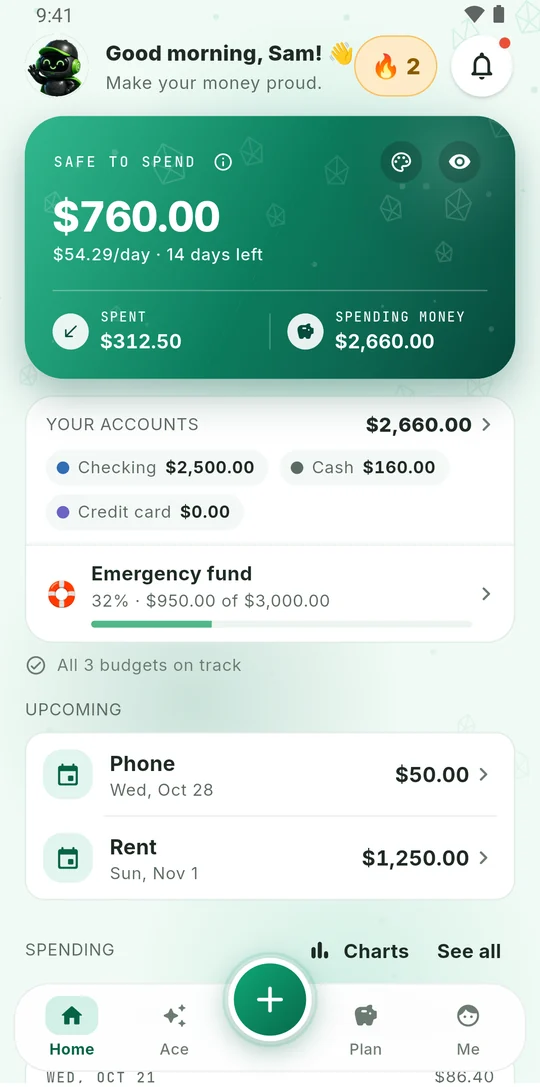
Smilo home screen showing $760.00 safe to spend, $54.29 a day, 14 days left
Ace, Smilo's money buddy, waving
Features

Everything you need to
know what's safe to spend

Simple enough for every day. Clear enough to trust.

The one number

Your bank says $2,660.
Smilo says $760.

Bills due before payday and your savings come off first. What's left is yours, as a daily amount.

In your accounts$2,660
Bills before payday−$1,300
Your savings goal−$600
Safe to spend$760
About $54 a day for 14 days

Fast entry

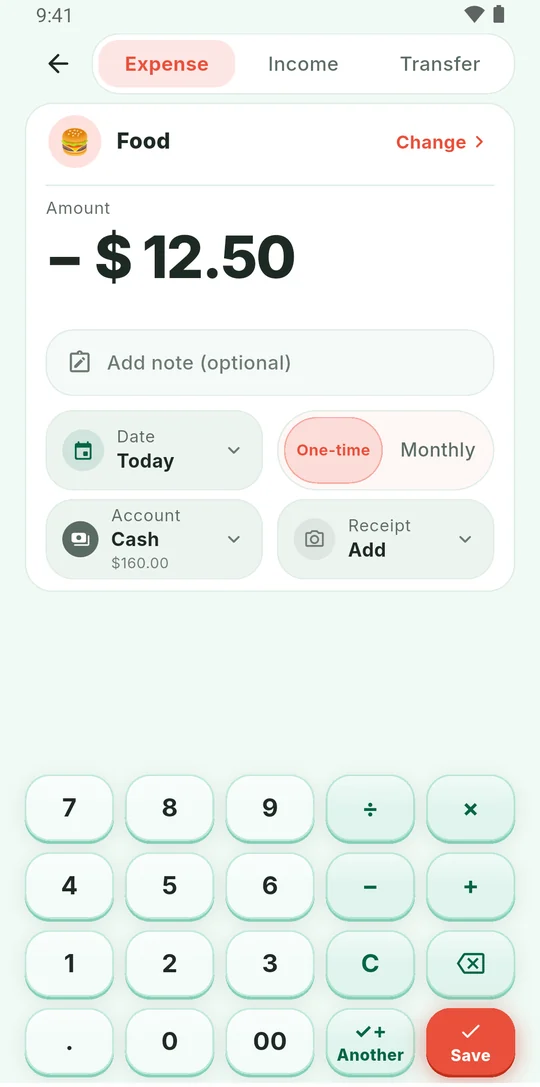
Add an expense
in seconds

One screen with a calculator keypad. Type it, tap Save, and your number updates straight away.

Adding a $12.50 expense with the keypad

Bills

Bills come off first

RentSun, Nov 1
$1,250
PhoneWed, Oct 28
$50
StreamingTue, Nov 10
$16

Private

No bank login. Ever.

No sign-up either. Your money data stays on your phone unless you ask Ace or back up to your own Google Drive.

Budgets

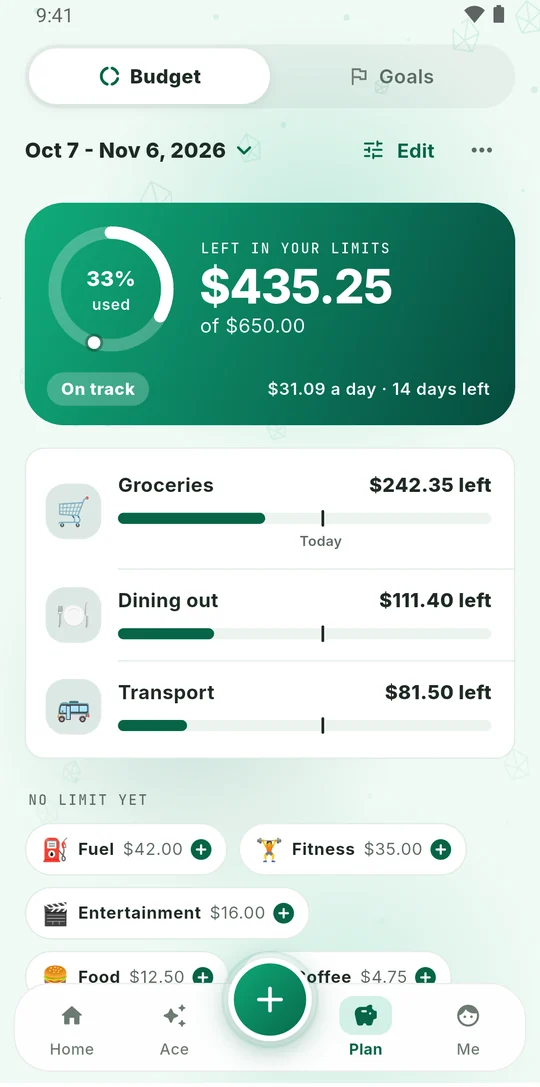
See your pace

Budget bars with a Today mark show if you're ahead or behind.

Budget limits with a Today mark

Goals

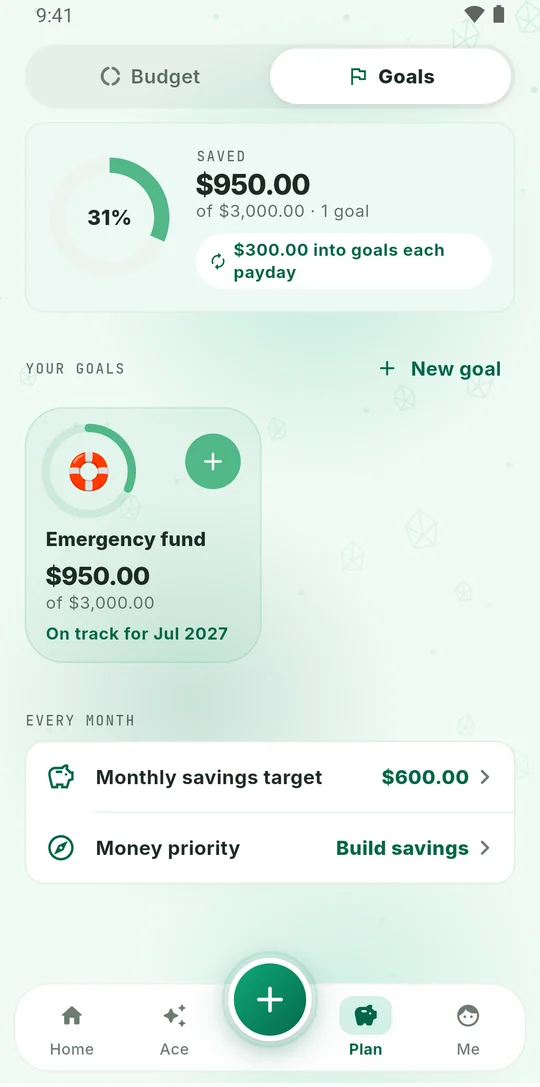
Save every payday

Set an amount once and it goes into your goal each payday.

A savings goal on track

Ace

Ask Ace anything

How am I doing this month?
You're on track. $760 is safe to spend, about $54 a day until payday.
Buddies

Pick a buddy. Make it yours.

Each buddy brings its own colours, keypad and app icon. Ace greets you, cheers your streak and answers your money questions.

Ace
Nova
Honey
Sage
Cherry
Beau
Blossom
Top FAQ

Questions?
Answers.

Quick answers about Smilo and how it handles your money.

Does Smilo need my bank login?

No. Smilo never connects to your bank. You add your balances, bills and spending yourself, in a few taps.

How does Smilo work out what's safe to spend?

It takes the money in your accounts, subtracts the bills due before your next payday and your savings goal, and shows what's left, plus how much that is per day until payday.

Is Smilo free? What's in Smilo Plus?

Smilo is free to download and use, with ads. Smilo Plus is optional (monthly, yearly or lifetime): it removes ads and adds a full day-by-day forecast, Ace messaging you first when a bill or your pace will leave you short, more Ace answers, automatic Google Drive backup, unlimited accounts, budgets and goals, and every buddy theme.

Where is my data stored?

Your money data stays on your phone. It only leaves when you ask Ace a question (sent to our AI server to write the answer) or back up to your own Google Drive. Ads use device identifiers, never your money data.

Does Smilo work offline?

Adding expenses, budgets and bills works without internet. Ace and Google Drive backup need a connection.

Is Smilo financial advice?

No. Smilo and Ace give general information based on the numbers you enter. For important decisions, talk to a qualified professional.

Is Smilo on iPhone?

Not yet. Smilo is available on Android through Google Play.

Know your number.
Every single day.

Free on Android. No bank login, no sign-up.

Get it on Google Play